AI Keys FREE
Smart AI keyboard · iPhone · iPhone Duo · iPad

AI Keys. Chat with anyone, in any language.

A keyboard that understands the conversation. Take a screenshot of a chat — it translates the messages and writes your reply in the other person’s language. It fixes typos, types what you say, and changes the text when you ask out loud. In every app, without leaving the chat.

Public beta through Apple’s TestFlight — the App Store release is on its way. Free download · 10 AI actions a day free, forever · iPhone and iPad, iOS 18 or newer · no ads, no tracking
In short: what it does
What it looks like
01

Translate a chat from a screenshot

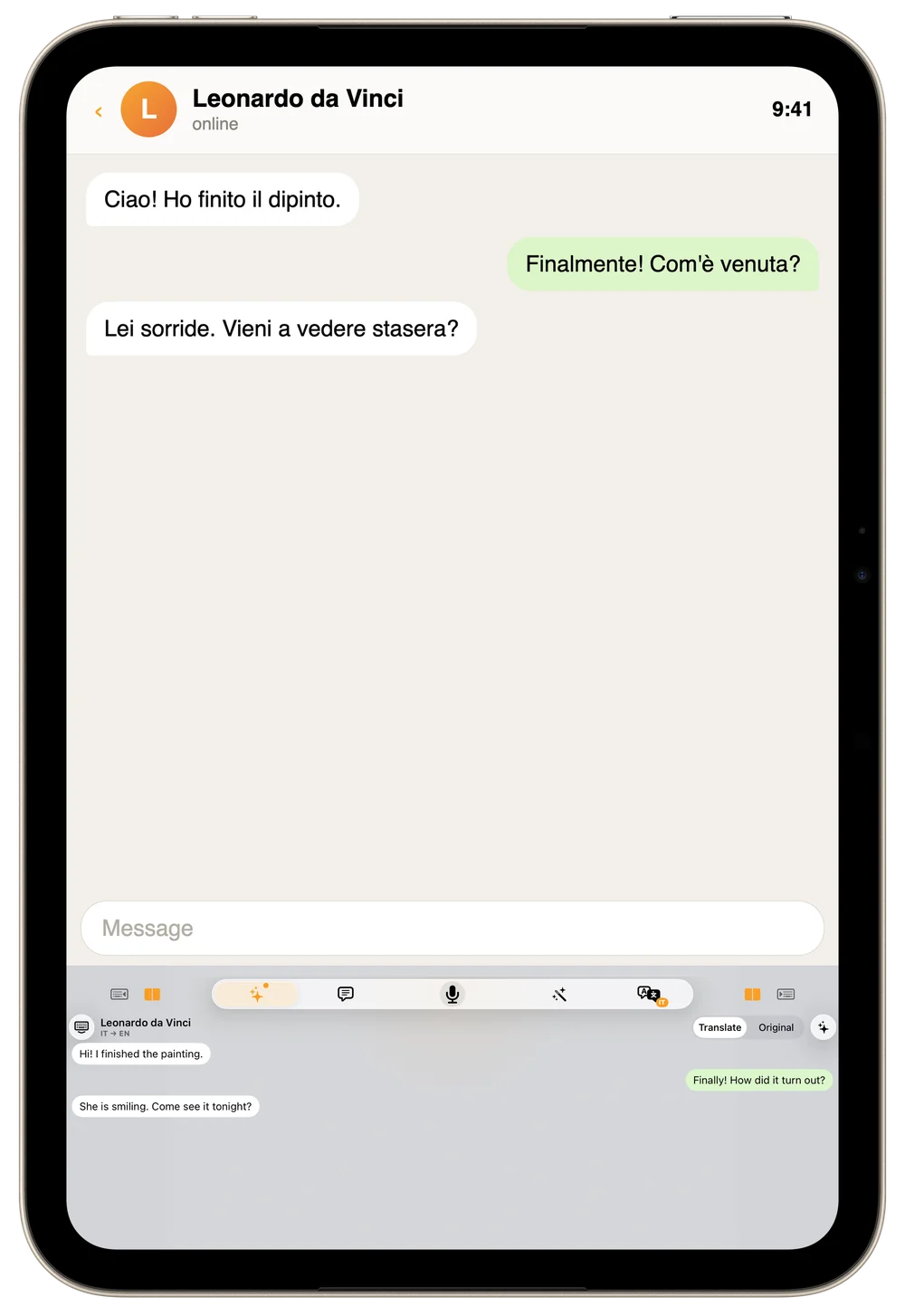
Someone wrote to you in Italian, Spanish or Japanese. Take a screenshot — the keyboard reads it and shows the whole conversation in your language, right above the keys. One tap flips between translation and original. No copying, no switching apps.
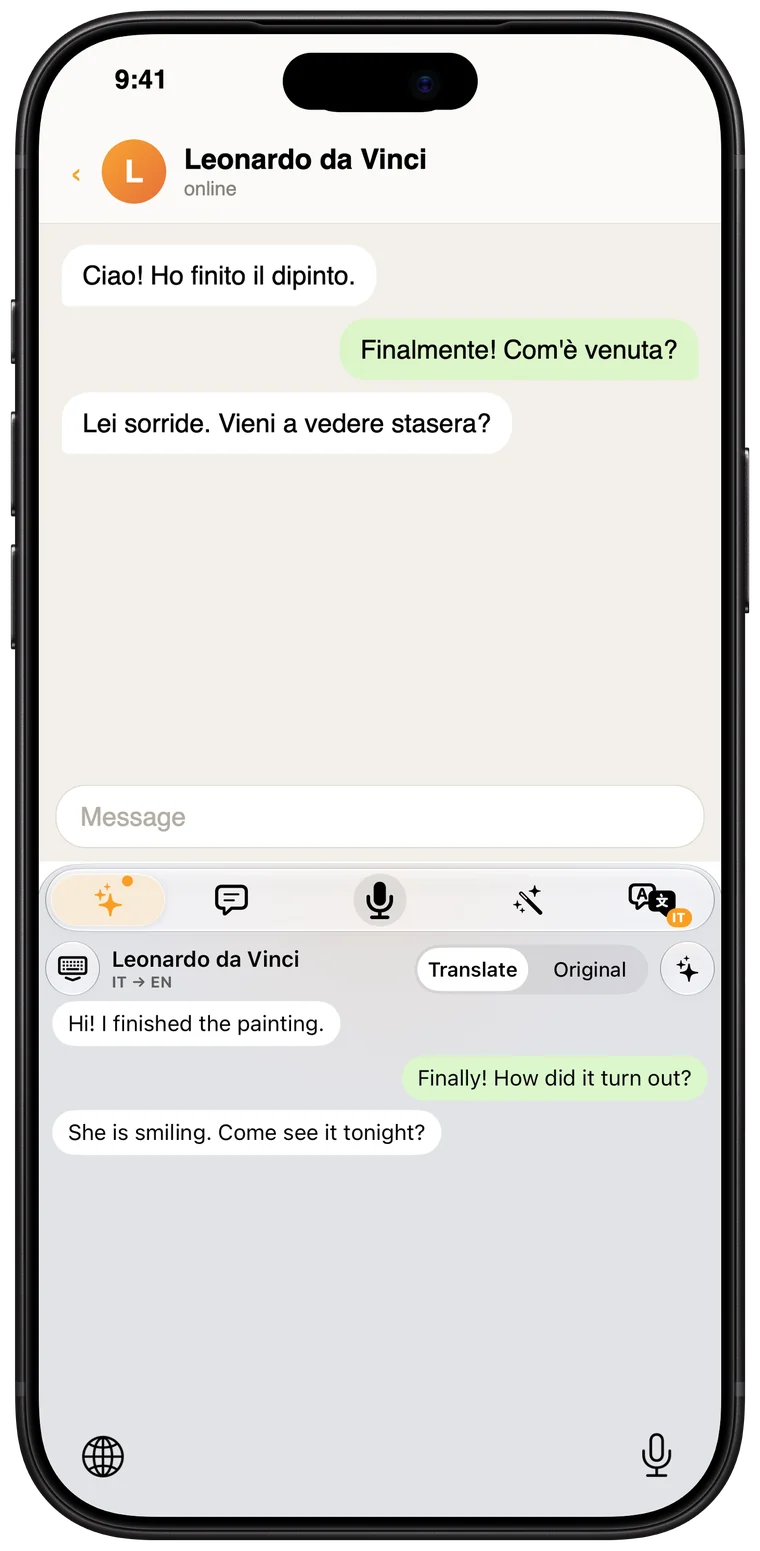
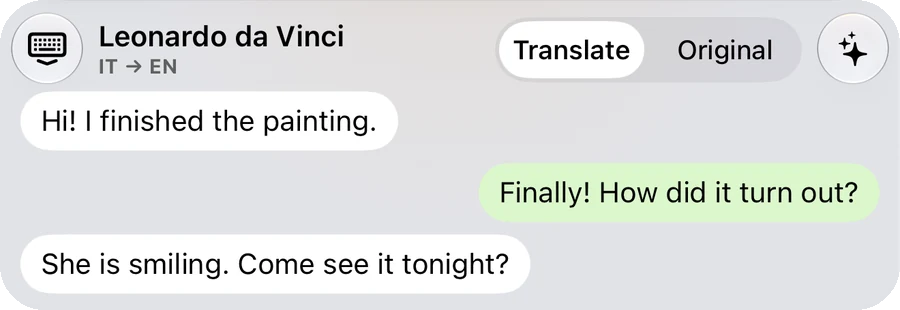
AI Keys keyboard showing a translated Italian chat IT → EN 📸 Screenshot

02

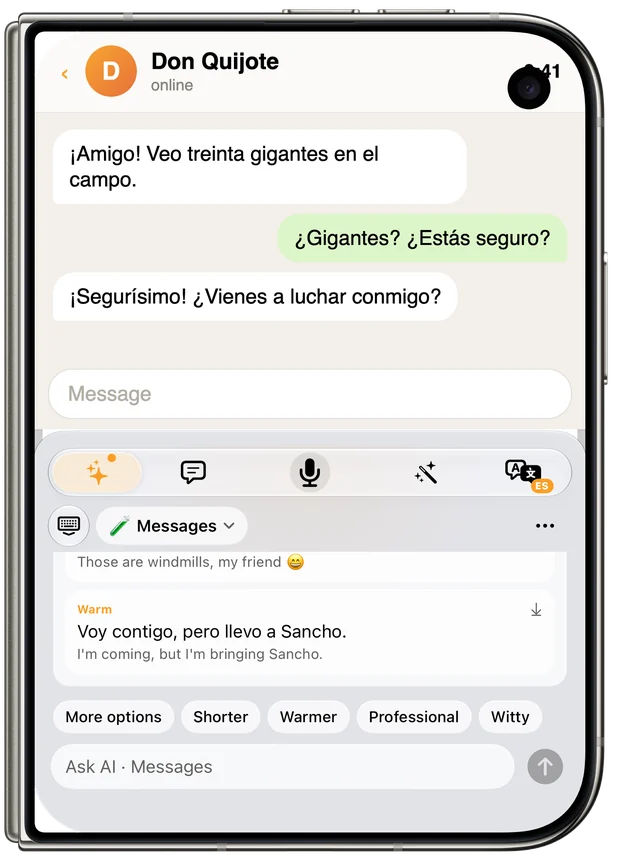
Smart replies in their language. You pick the tone.

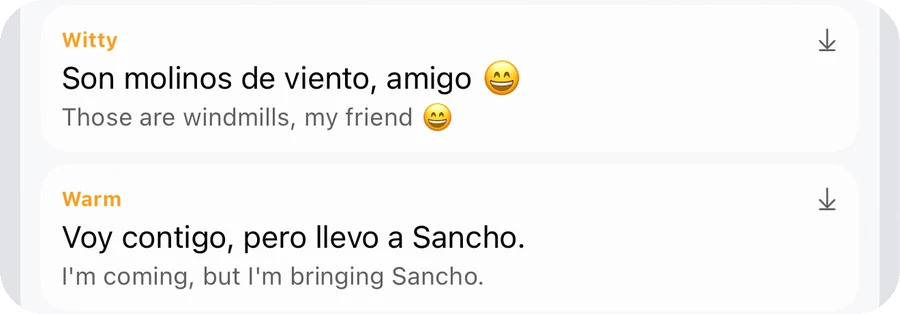
AI Keys reads the conversation and writes ready answers in the language of the person you are talking to — with a translation underneath, so you always know what you are sending. Want it different? Tap a tone and the reply is rewritten. One more tap puts it in the message field.

  • Warmer
  • Shorter
  • Professional
  • Witty
AI Keys suggesting replies in Spanish with tone buttons on a closed iPhone Duo
03

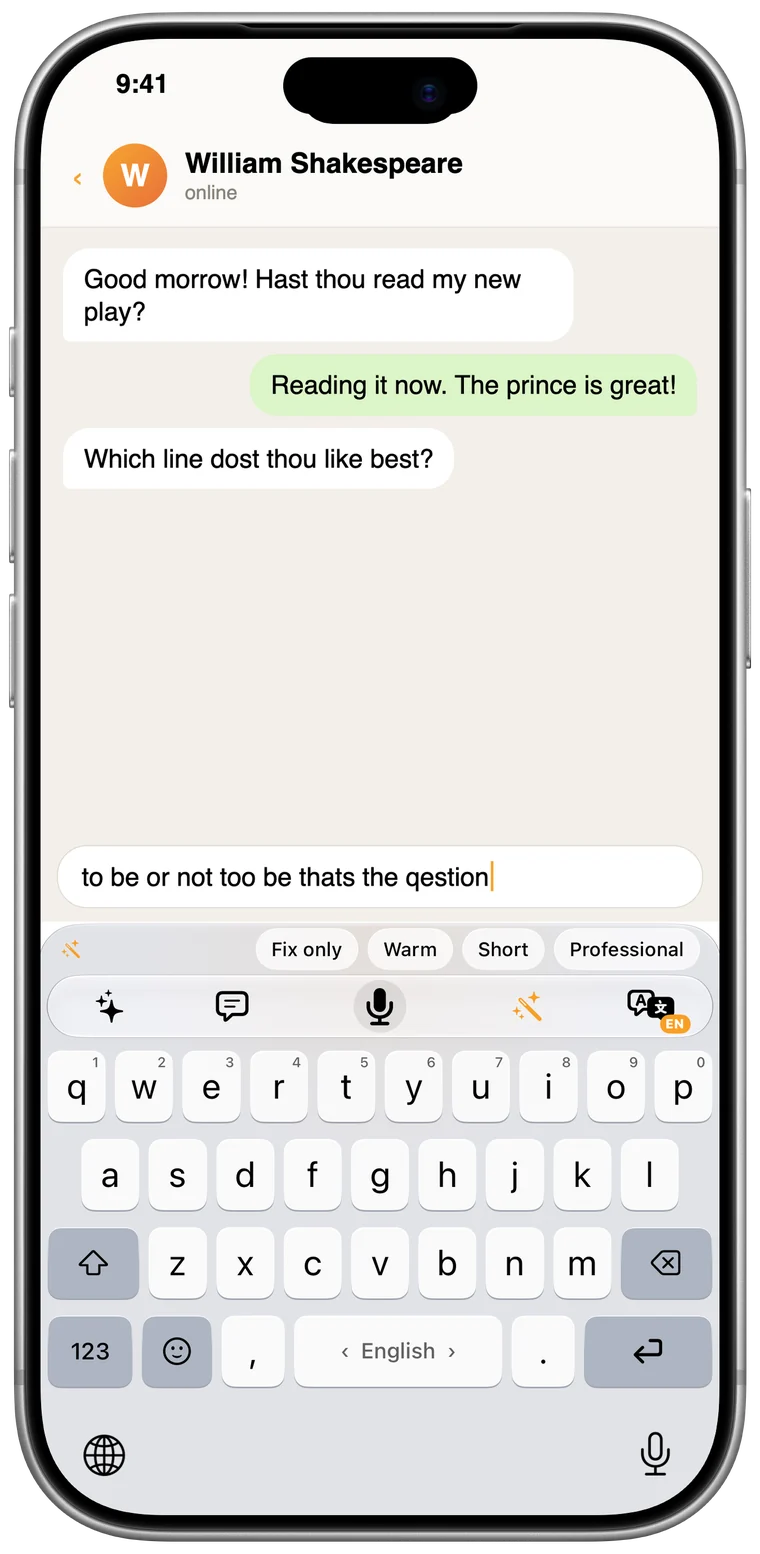
Fix typos. Rewrite with AI.

Typed in a hurry? Tap the magic wand: spelling, commas and capital letters are fixed in a second, and your words stay yours. Or ask for more — make it warmer, shorter or more professional before you hit send.

  • Fix only
  • Warm
  • Short
  • Professional
AI Keys fixing typos in a message Fixed in a second
04

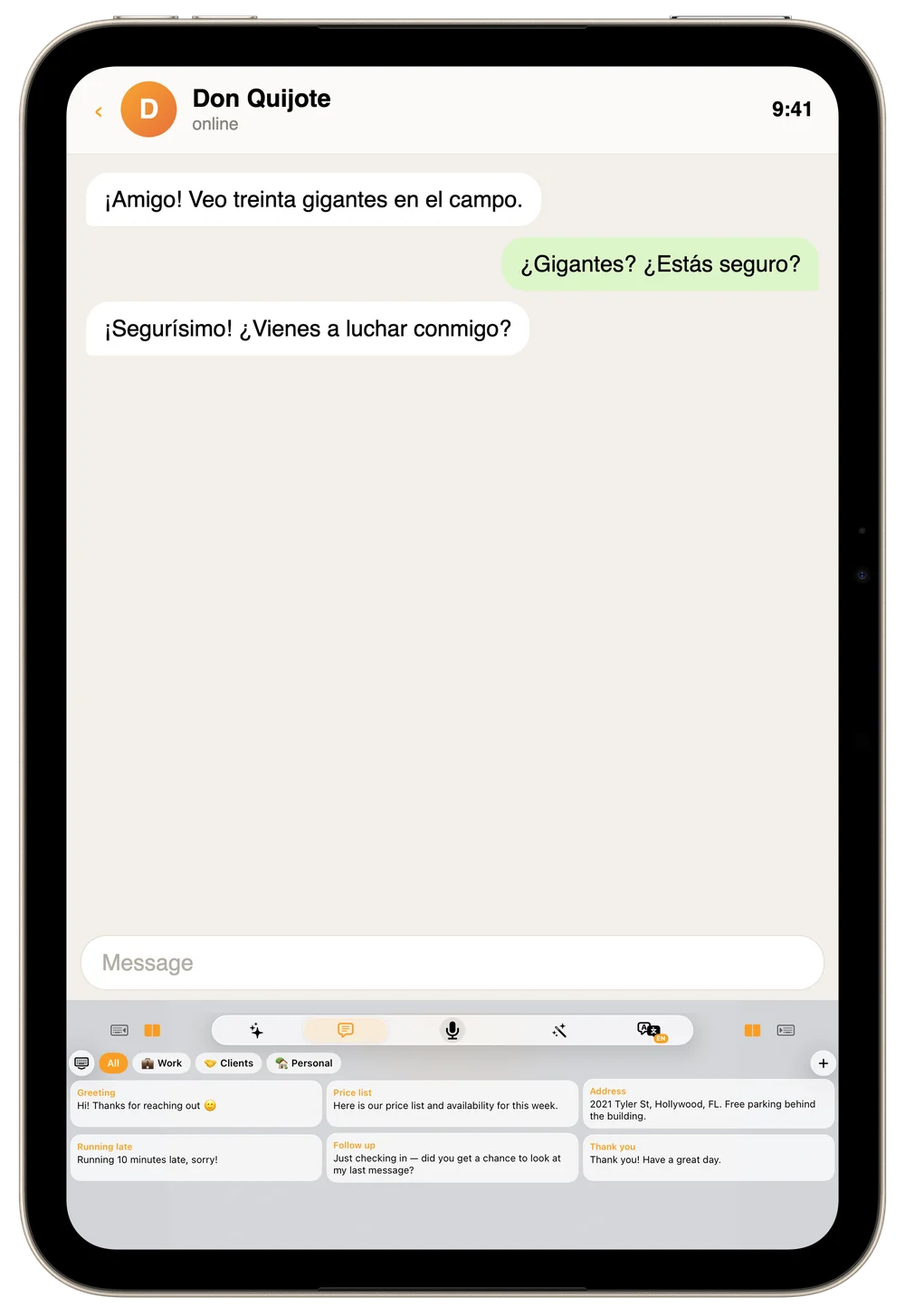
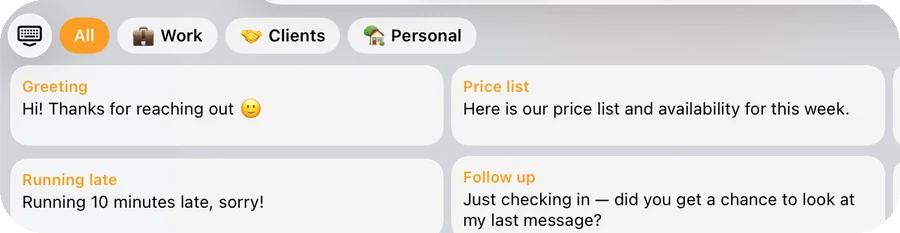
Quick replies, ready to send

The answers you type every day — a greeting, the price list, your address, “running ten minutes late” — live in the keyboard, sorted into folders. One tap and the phrase is in the message. Add your own in the app; they are free, forever.

  • All
  • 💼 Work
  • 🤝 Clients
  • 🏡 Personal
Saved phrases in folders on an iPad One tap to insert
05

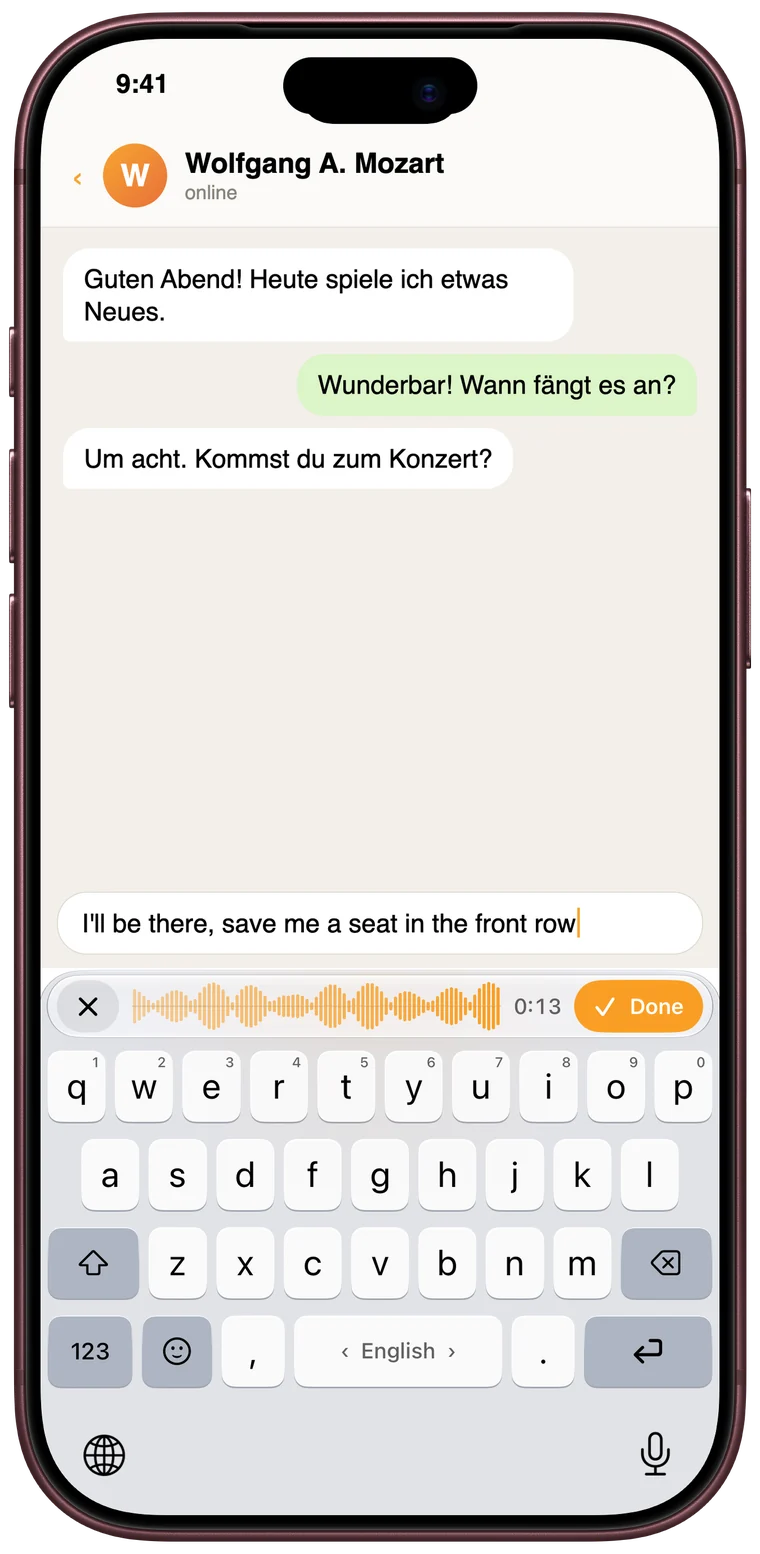
Dictate right in the keyboard

Tap the microphone and talk. A live waveform shows the keyboard is listening; tap Done and clean, punctuated text lands in the message — in any app. The microphone is on only between your tap and Done.

Voice dictation with a live waveform in the AI Keys keyboard 🎙 Live voice typing
06

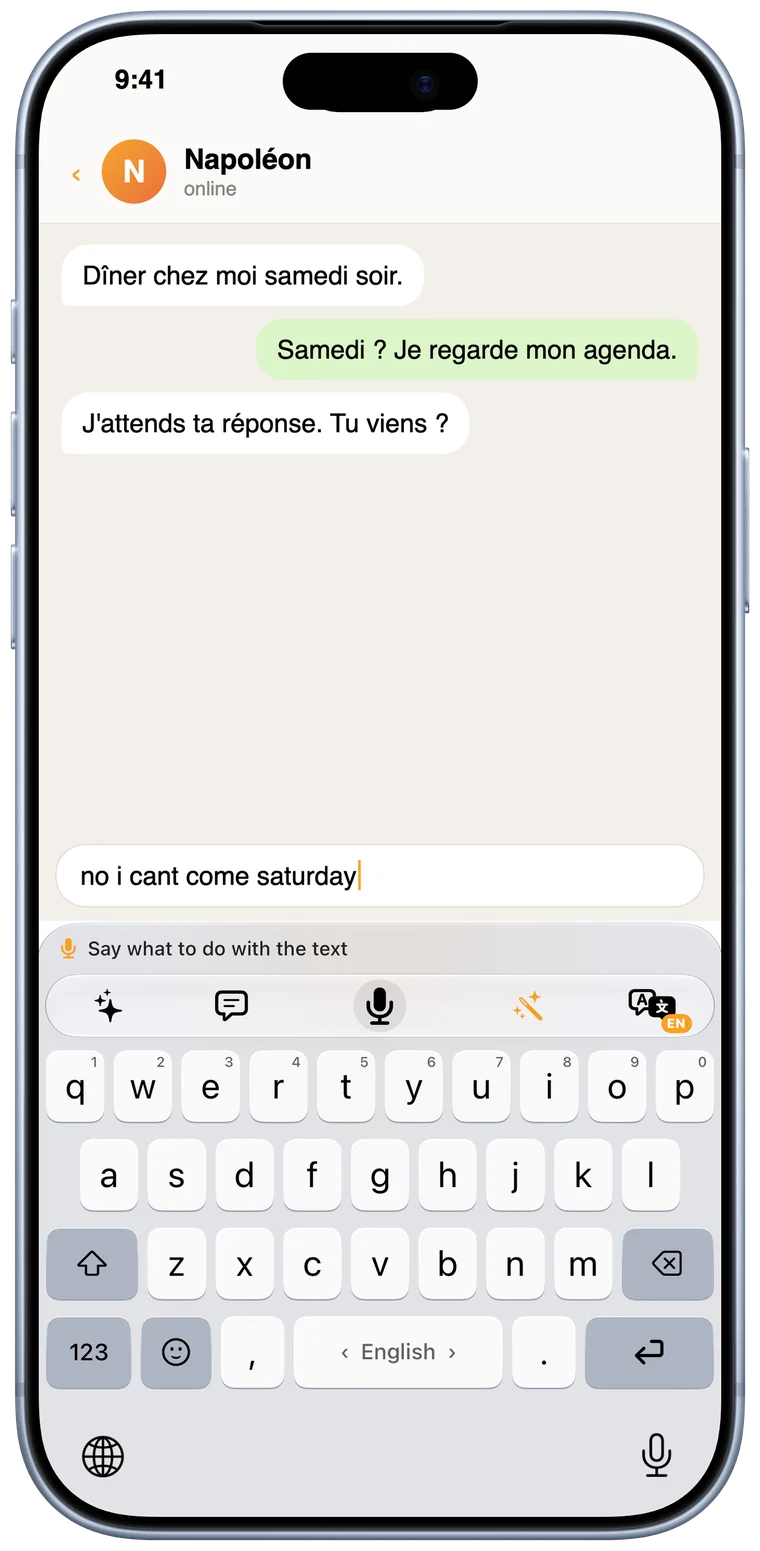
Edit with your voice

Hold the magic wand and simply say what to change: “make it polite”, “shorter”, “say it in Spanish”. Release — and the text in the field is rewritten the way you asked. No menus, no retyping.

Holding the magic wand to edit a message by voice “Make it polite” Hold 🪄
07

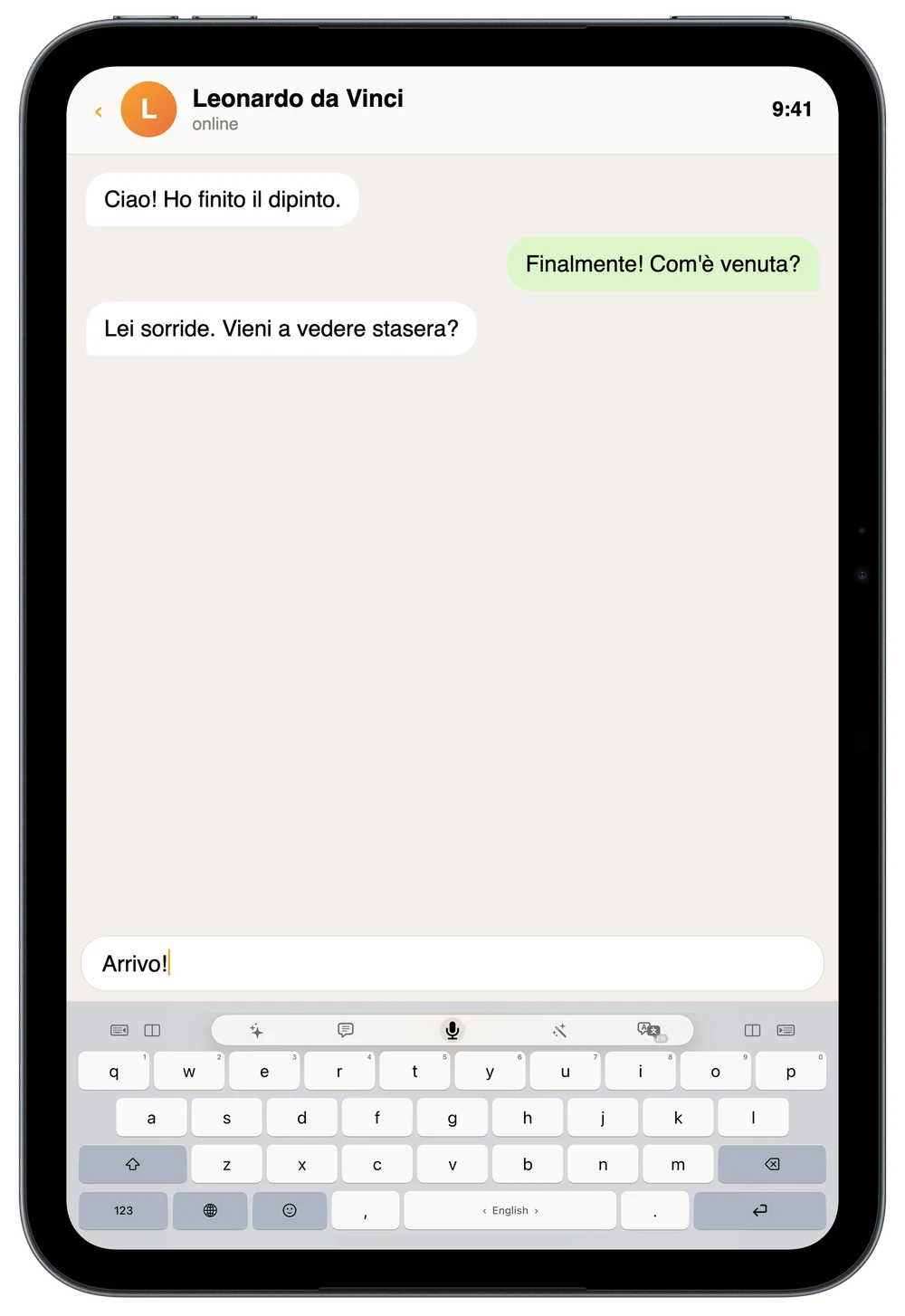
Swipe the space bar to switch language

No globe key, no hunting through a list. Slide your thumb across the space bar and the layout changes; autocorrect follows the language you type in. English, Español and Русский are in the app today — more layouts arrive with the next update.

  • English
  • Español
  • Русский
AI Keys keyboard on iPad mini with the language shown on the space bar ⇆ Swipe
08

Your own stickers, next to emoji

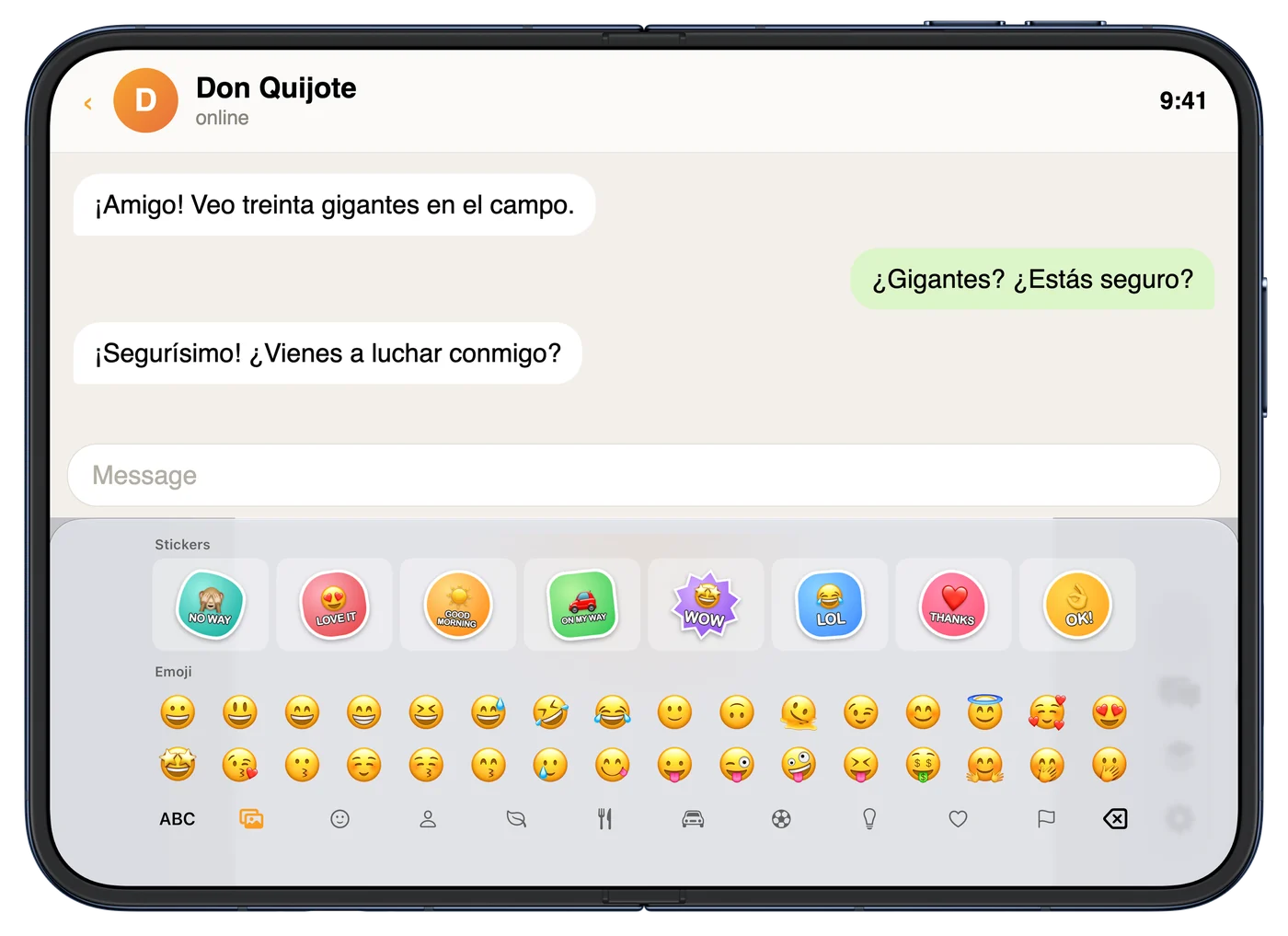
Add your PNG and GIF stickers in the app and they sit in the keyboard beside the emoji — your logo, your face, your jokes. Tap to send in any messenger that accepts pictures. Stickers are free too.

Sticker row above emoji on iPhone Duo Made by you
09

Made for iPhone, iPhone Duo and iPad

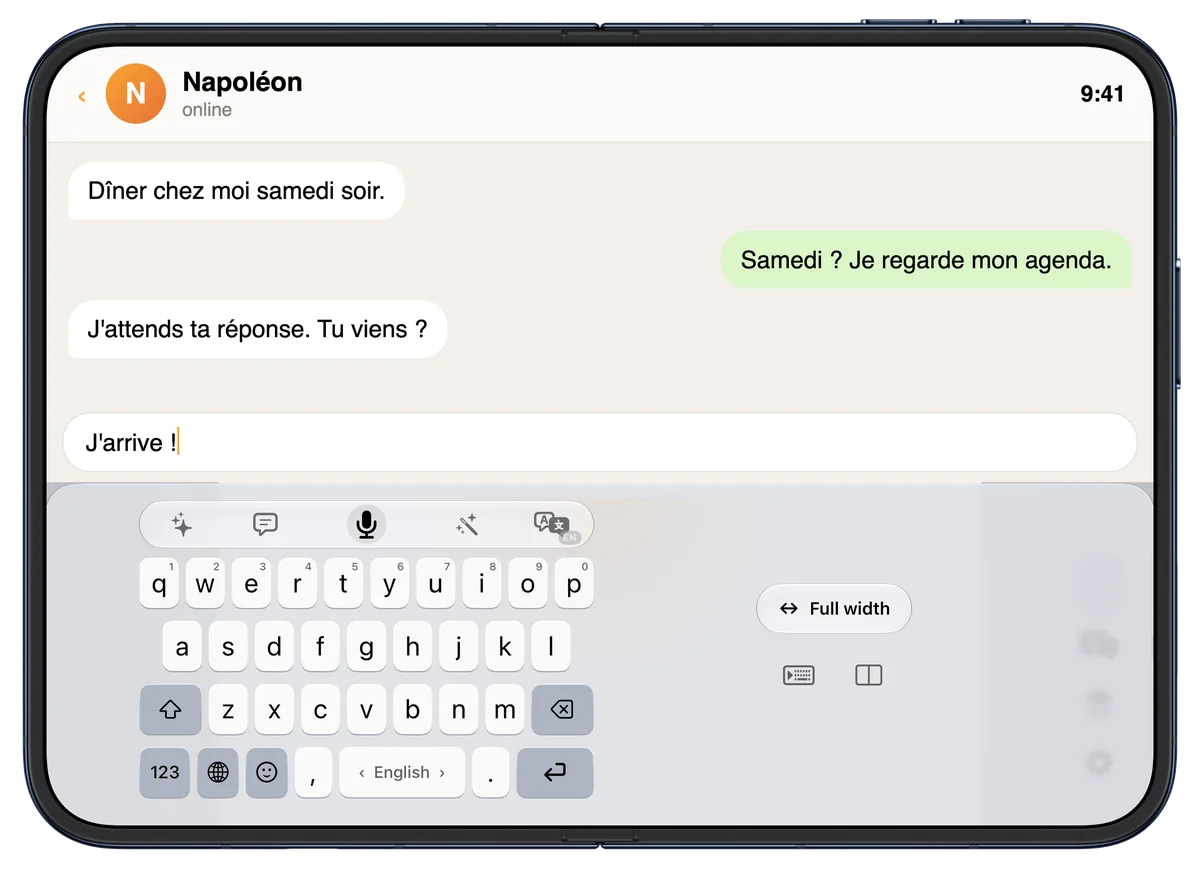
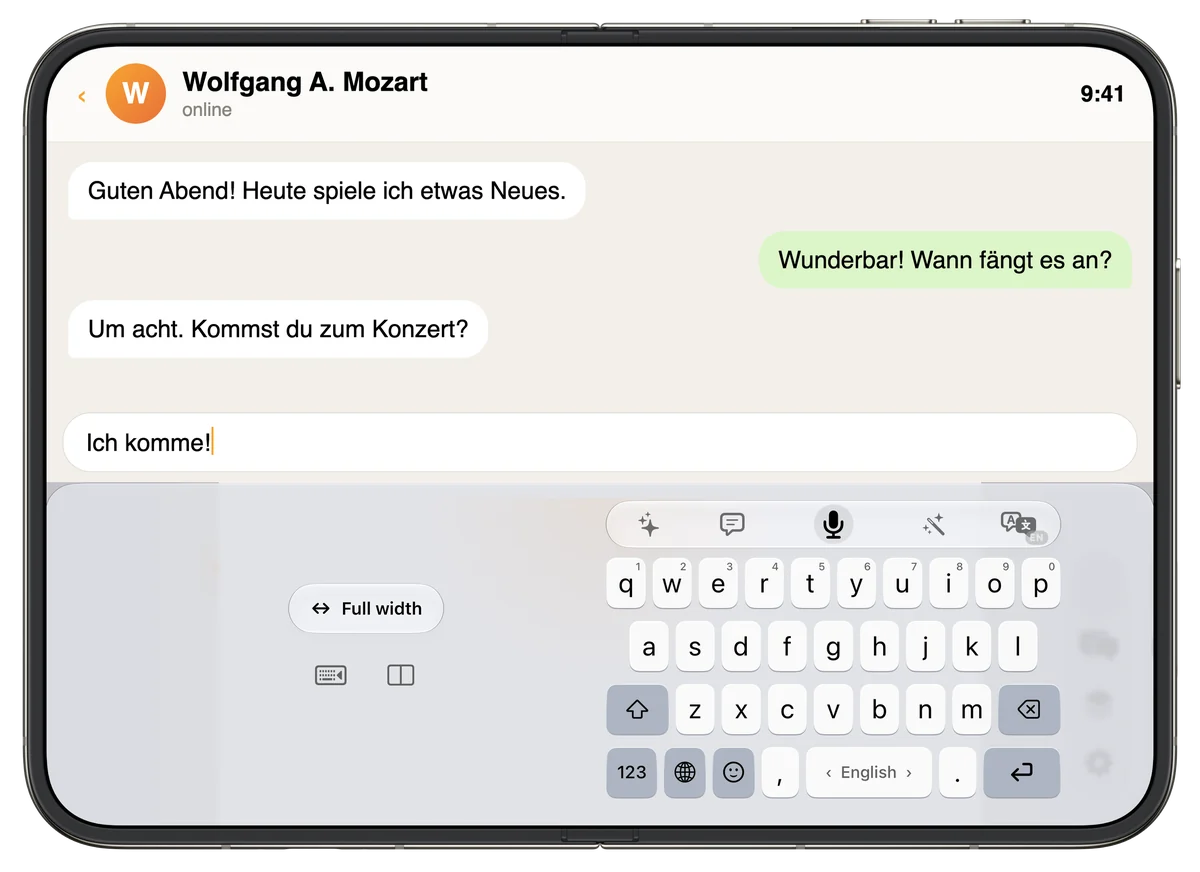
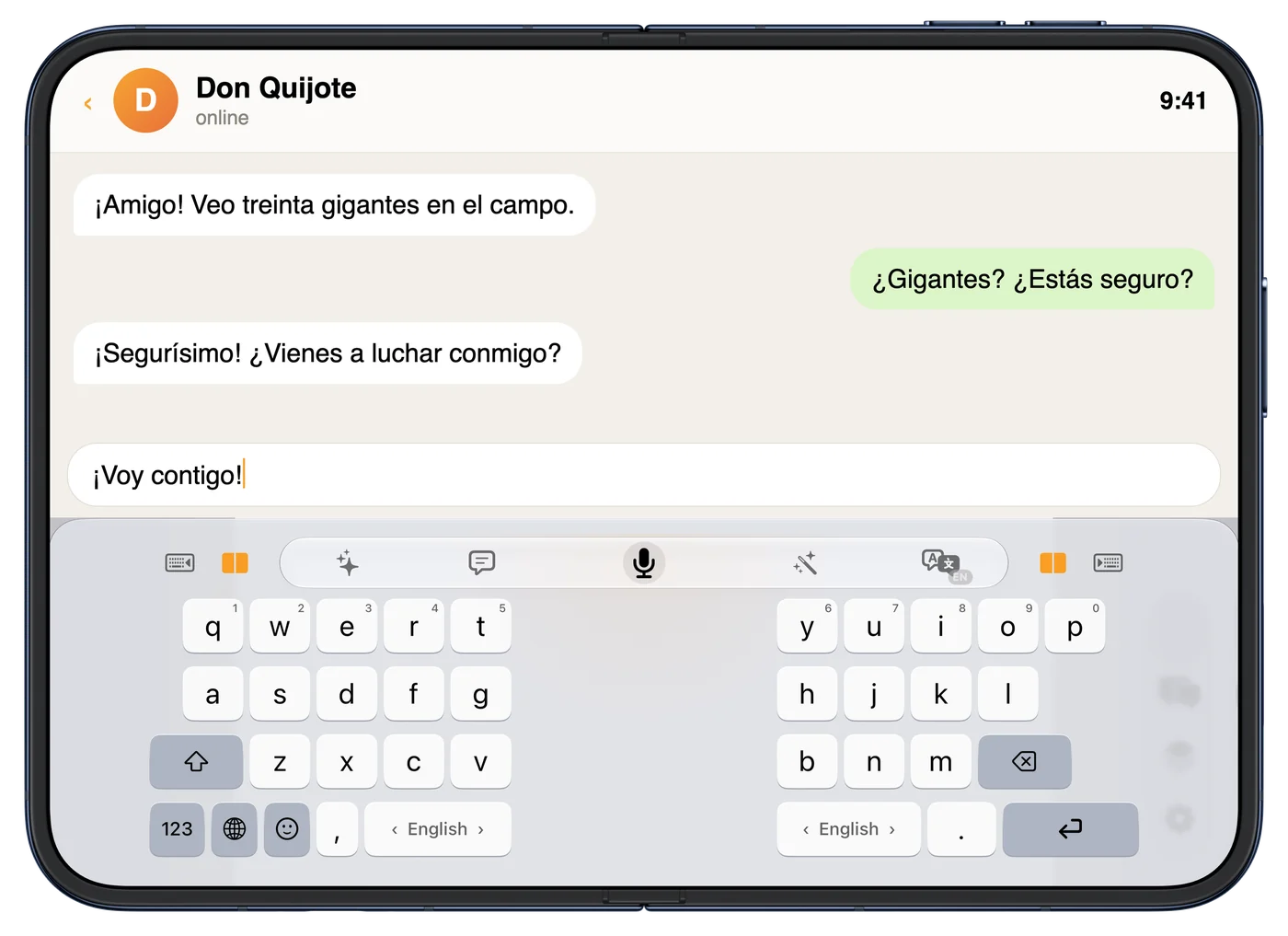
On a wide screen the keys should come to your thumbs, not the other way round. Dock the keyboard to the left or to the right and type with one hand. Open the iPhone Duo or pick up the iPad — split it in two and type with both thumbs.

  • Left hand
  • Right hand
  • Split for two thumbs
Keyboard docked to the left on iPhone Duo
Left
Keyboard docked to the right on iPhone Duo
Right
Split keyboard on iPhone Duo
Split
10

Themes, from quiet to dressed up

Keep it light or dark like the system, or dress the keyboard up: Obsidian & Gold, Champagne Pearl, Emerald Velvet, Midnight Sapphire, Bordeaux & Leather. Pick one in the app and the keyboard changes everywhere at once.

11

It remembers who you are talking to

For each person AI Keys keeps a short note — how they talk, what matters to them — and uses it to make replies sound right for that person. Every note is yours: open the app to read it, change it or delete it.

L
Leonardo da VinciItalian · Messages

Paints slowly. Loves flying machines.

D
Don QuijoteSpanish · Messages

Brave. Sees giants everywhere.

W
William ShakespeareEnglish · Messages

Asks for an opinion on every new play.

Pricing

Free to download. Pro when you want more AI.

Free FOREVER

$0

No card, no time limit.

  • The keyboard itself — layouts, autocorrect, one-hand and split modes
  • Saved phrases in folders
  • Your stickers
  • Apple dictation
  • 10 AI actions a day — translate, reply, fix, rewrite
Try the betaDownload free

Pro 7 DAYS FREE

$69.99 per year · about 27% cheaper

or $7.99 per month. Both start with a 7-day free trial.

  • Unlimited AI — as many translations, replies and rewrites as you need
  • Everything in Free
  • Yearly is the plan we recommend: about $5.83 a month
Try it on TestFlightStart the free trial
Privacy

A keyboard sees everything you type. So here is exactly what ours does.

Works on
Developed by a studio · used every day

Built at ProStudio1 for our own chats — and shared with pleasure

ProStudio1 is a podcast, photo and video studio in Miami. Our clients write to us in English, Spanish and Russian, all day long. AI Keys is the keyboard we made to answer each of them quickly, politely and in their own language — and now it is yours too.

AI Keys icon

Your next reply is already written

Install, turn the keyboard on, take a screenshot of a chat. That’s the whole setup.

Try the beta on TestFlightDownload on the App Store FREE

iPhone and iPad · iOS 18 or newer · including iPhone Duo · beta through Apple’s TestFlight